PrettyJson.site — Free Online JSON Formatter, Beautifier & Validator
Format, validate, copy, and download JSON instantly.
Was this page helpful?
Be the first to rate this page
About PrettyJson.site
PrettyJson.site is a lightweight, privacy-focused JSON formatter, beautifier, and validator that runs entirely in your browser. You can format, minify, or validate JSON instantly without sending your data to any server.
Who Should Use PrettyJson.site?
How to Use This Tool
- Paste your JSON into the editor above, or drag & drop a JSON file.
- Click Beautify or Minify to format your JSON.
- Use Validate to check JSON correctness.
- Copy or download the result using the buttons provided.
What is JSON?
JSON (JavaScript Object Notation) is a lightweight data-interchange format that is easy for humans to read and write, and easy for machines to parse and generate. It is widely used for transmitting data between a server and web applications.
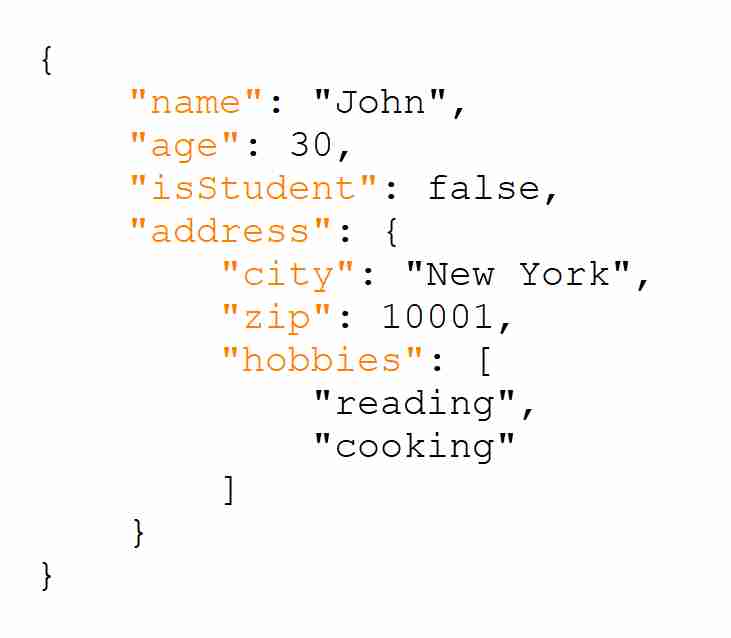
Why You Need to Beautify JSON
Raw JSON data is often minified — meaning all spaces, line breaks, and indentation are removed to reduce file size. While this is efficient for machines, it’s hard for humans to read or debug. Beautifying JSON adds indentation, line breaks, and spacing to make the structure clear and easy to understand. This is essential for developers, analysts, and anyone working with JSON data to quickly identify errors and comprehend the data hierarchy.
Pricing
PrettyJson.site is free to use with no mandatory fees or subscriptions. In the future, we may include optional ads to support the service while keeping the core features free and accessible.